Children’s clothing
Find the print scale for a complete outfit.

See your seamless design on products people can picture owning.
Put your pattern on children’s clothing, wallpaper, tote bags, phone cases and more. Adjust the design’s scale, rotation and placement, compare styled scenes and create product images for your portfolio or shop.
Find the print scale for a complete outfit.
Explore 17 product types and 94 photographic scenes, including Kindle cases, hair bows, cosmetic bags, book sleeves and tumblers. Compare tabletop, gift and in-use views, and choose the setting that suits your design.
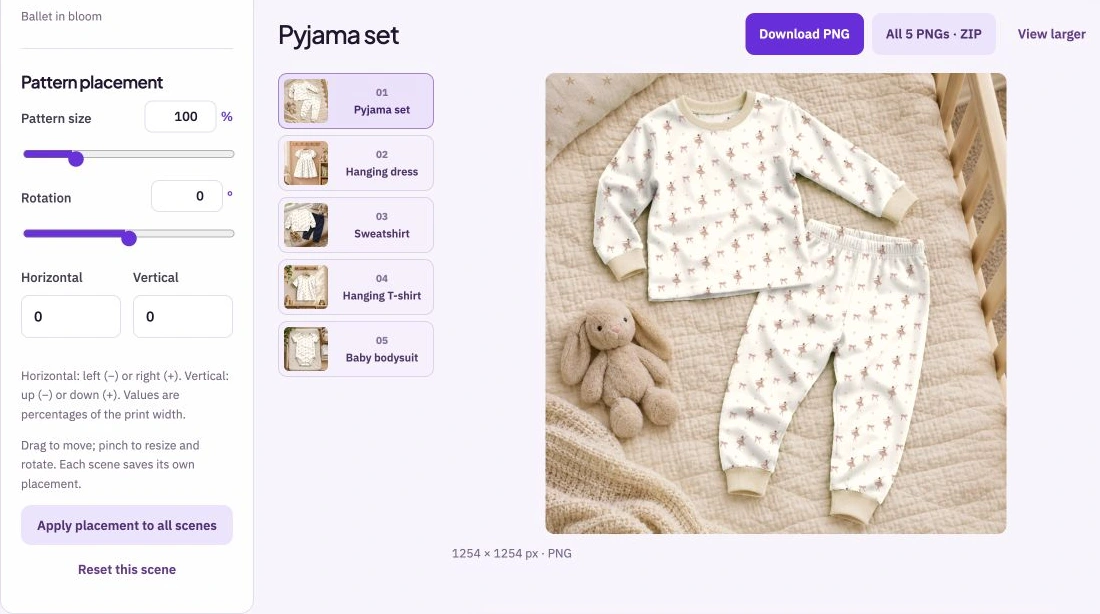
Adjust the pattern size, rotation and horizontal or vertical position. Drag the artwork into place, or use the controls for more precise changes. A scene keeps its settings when you move to another one.
Export one image at the original scene resolution or download the scenes included in your membership for the selected product together. Apply the current placement across the set when you want a shared starting point, then refine individual scenes.
Import a PNG, JPEG or WebP pattern or choose it from your Library. Start with a pattern whose joins you have already checked.
Choose a product and photograph, then set the scale, direction and placement for that view. Compare the complete image as well as the pattern detail.
Download the selected PNG or the available scene set for the product. Check the exported images before adding them to a portfolio, presentation or sales page.
The scenes are generic product styling. Before using one in a listing, compare the shape, construction and print area with the actual product. Use a view that represents the customer’s purchase accurately, and check that the design scale supports the impression you want to give.
Bring: A seamless pattern.
Download: Full-resolution PNG scene images; Premium also includes each product’s complete scene set as a ZIP.
Add your pattern and choose a product. Adjust scale, rotation and placement on each scene. Download individual scenes, or choose an optional ZIP of the complete scene set.


