Give the designs different roles
Assign a main Hero print, a Secondary design and a quieter Blender. These roles help you compare a detailed focal design with the patterns that support it.

Turn separate designs into a collection people can see.
Bring the main print, smaller supporting patterns and shared colours onto one presentation board. See whether the range belongs together, then share the collection without sending a folder full of loose files.
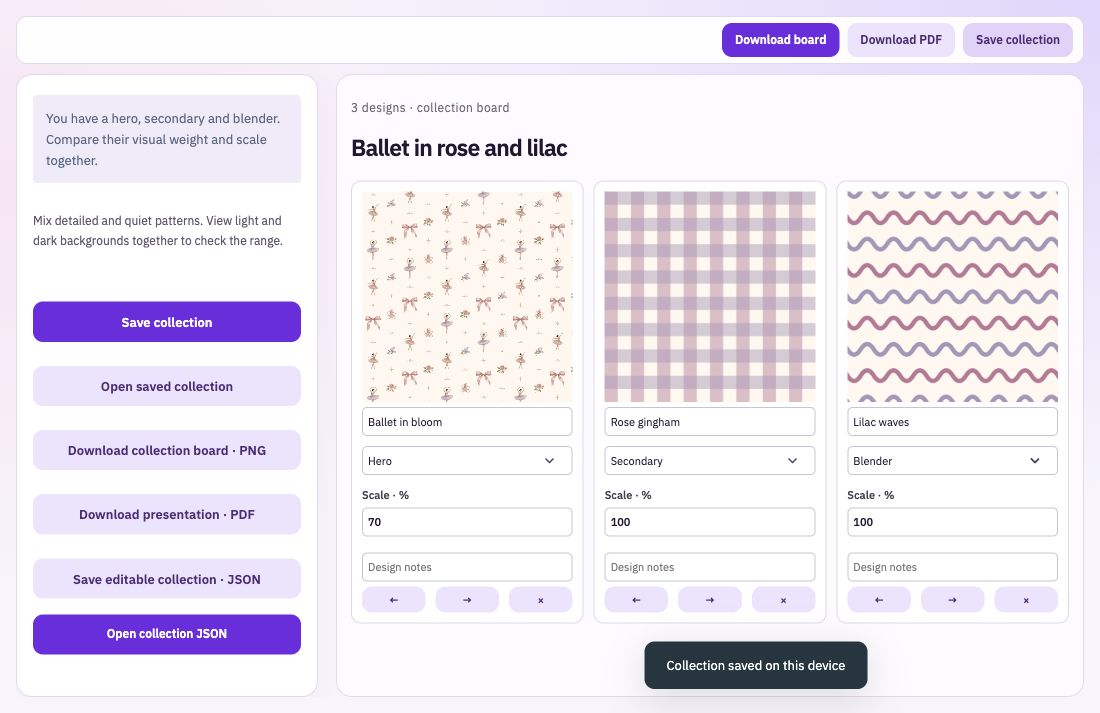
Assign a main Hero print, a Secondary design and a quieter Blender. These roles help you compare a detailed focal design with the patterns that support it.
Change how large each pattern appears on the board and reorder the designs by dragging or using the controls. Add names and notes so the presentation is useful beyond the image itself.
Choose a shared saved palette and add a collection title and notes. Download the board as a PNG or PDF, and save an editable collection file when you want to reopen the arrangement.
Upload your pattern images or choose them from your Library. Give the board a title and select the palette that connects the range.
Set each design’s role, display scale and order. Add useful names or notes, then look at whether the board has a clear focal point.
Download a PNG board or PDF presentation. Keep the original full-resolution pattern files separately for production or customer delivery.
Changing a pattern’s display scale helps you compare the collection visually. It does not change that original image’s repeat or resolution. Keep your presentation and the source design files clearly named so each is used for the right purpose.
Bring: Finished pattern images.
Download: PNG presentation board and PDF.
Add the patterns in your range. Arrange the board and assign design roles. Download a PNG or PDF presentation.