Find the colours that make the whole collection click.
Start with a colour you love, extract colours from an image or discover a ready-made palette. Explore harmonies, keep your favourites and take a coordinated colour story into Procreate, Illustrator and your next design.
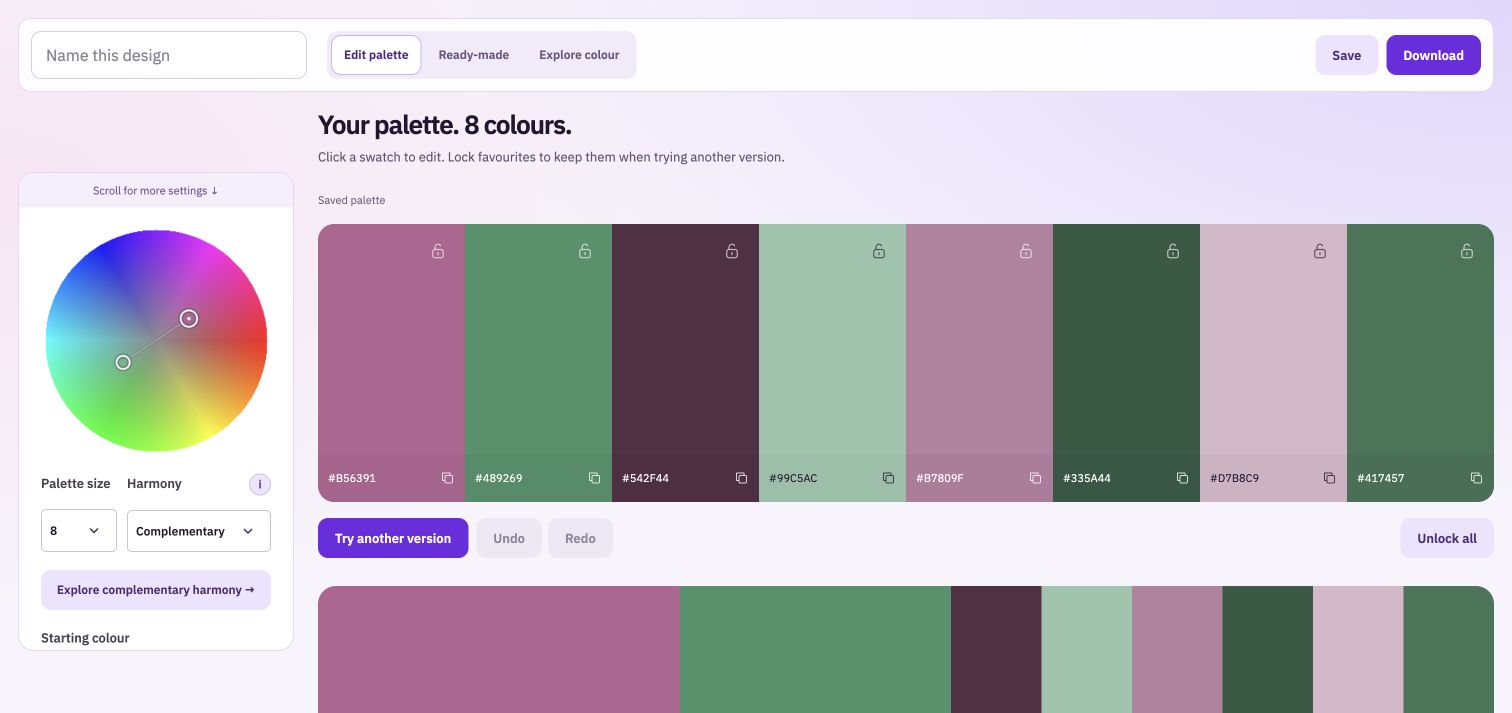
Move around the actual colour wheel and compare six harmony approaches. Neighbouring colours can feel related; opposite colours can give stronger accents. The studio includes explanations so the names become useful choices.
Keep the colours that work
Choose up to ten swatches, edit each one and lock favourites before trying another version. Adjust the starting colour or lightness while keeping those selected colours in place. Undo lets you return to an earlier choice.
Check more than the hue
See the current palette in greyscale to compare its light and dark values. Try the starting colour on light and dark backgrounds. These views help you spot pairs that look different in colour but blend together when used side by side.
Turn inspiration into reusable swatches
Choose a starting point
Use a colour, an uploaded image or a curated ready-made palette. Ready-made sets keep their own colours until you choose to edit them.
Make it your palette
Compare harmony choices, edit individual swatches, lock favourites and name the result. A smaller palette can feel focused; a larger one gives you supporting shades for a broader range.
Take the colours with you
Save the palette or download a PNG colour card, a text list of HEX colour codes, Procreate swatches or ASE swatches for compatible design software.
A good palette still needs a good balance in the artwork.
You do not need to use every colour in equal amounts. Let a main colour lead, use quieter shades around it and reserve a strong accent for the details you want noticed. Compare your design at the size people will actually see it, especially for small labels and product thumbnails.
See where one colour could take you.
Take your work into the next step.
Bring: A colour, an image or a ready-made palette.
Download: PNG colour card, HEX list, Procreate swatches and ASE swatches.
Choose a starting colour, image or ready-made palette. Explore harmony, edit swatches and compare light and dark. Name and save your palette, or download your colours.