Choose the replacements yourself
See the colours found in your artwork and pair them with new colours. Keep an original colour when a face, a fine outline or a particular detail should retain its existing treatment.

One much-loved design. A whole new colour direction.
Give an existing illustration or seamless pattern a new life. Replace the colours you choose, protect the details you love and compare the original with a new version before you download.
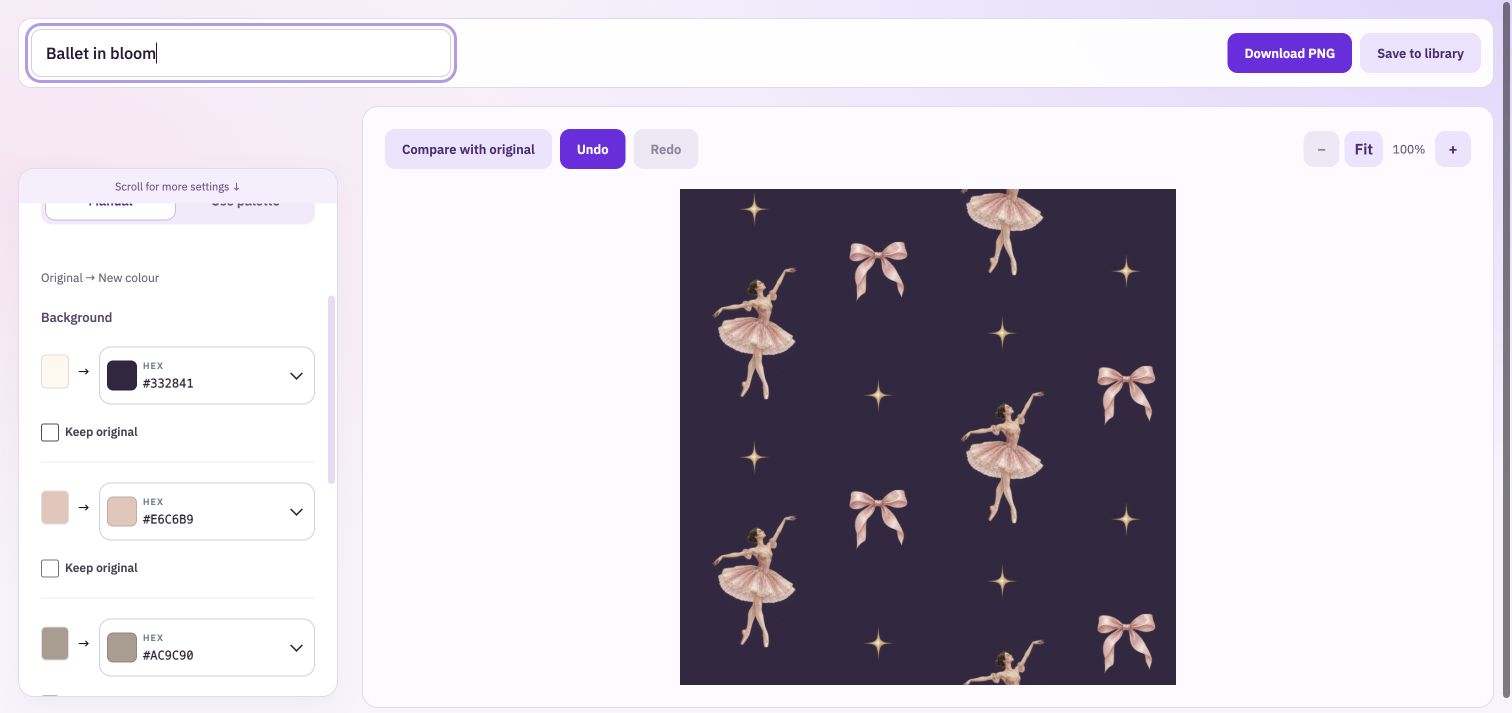
Changing the colours in my design to create new products is amazing. I've been able to create 5 different colours of each of my patterns just by using the colour change options.
See the colours found in your artwork and pair them with new colours. Keep an original colour when a face, a fine outline or a particular detail should retain its existing treatment.
Use a palette you have already developed as the starting point for a coordinated result. Adjust the colour-match range to control how broadly each replacement reaches into similar shades.
Name and keep several versions, export them together in a ZIP, or download a contact sheet. Use the original comparison to check whether fine details and gentle shading still feel right.
Use a PNG, JPEG or WebP image, or choose artwork from your Library. Decide which colours create the character you want to change.
Choose new colours manually or use a saved palette. Adjust the match range and Preserve light and shade, comparing the artwork as you work.
Give each direction a useful name. Download the selected PNG or gather the kept variations and a contact sheet for your next design decision.
An illustration can contain many related shades around a painted edge. A broad match can recolour details you meant to keep; a narrow one can leave traces of the old colour. Compare close-up details and the whole composition before choosing the final version.
Bring: PNG, JPEG or WebP artwork.
Download: Recoloured PNG.
Import your original artwork. Choose replacement colours manually or apply a palette. Compare the result and download a new PNG.