Inspect the repeat itself
Open a finished pattern and see it repeated across and down. The checks look at edge continuity and long straight gaps. Click a flagged area to find its position on the artwork.

Catch the join before it becomes the print.
A pattern is easier to fix while it is still on your screen. See the pattern repeated, zoom into the places where edges meet and keep a visual report alongside your design.
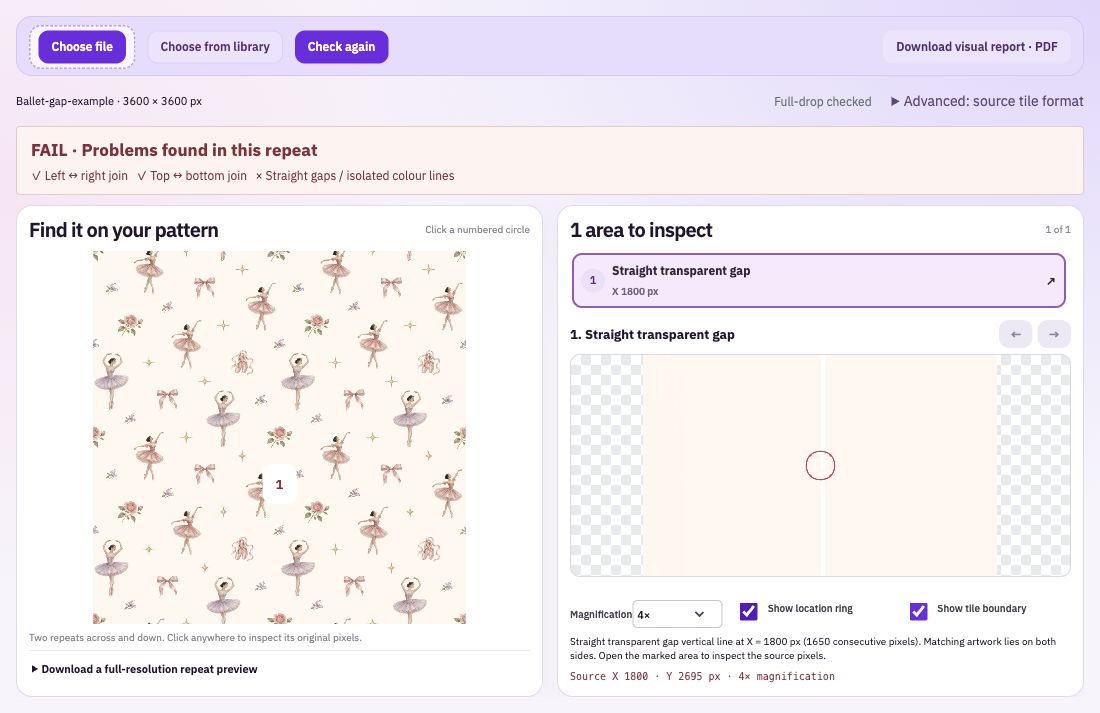
Open a finished pattern and see it repeated across and down. The checks look at edge continuity and long straight gaps. Click a flagged area to find its position on the artwork.
Magnify the selected join or click another part of the repeated image to explore it yourself. The optional boundary and location overlays help you understand where you are without changing the image.
Download a visual PDF with the check results and enlarged areas, or export a full-resolution repeated PNG. Keep the report with the exact pattern version you reviewed.
Check the exported pattern rather than a screenshot of it. Most finished seamless patterns use the standard format; choose another source format only if the original is an unconverted half-drop or half-brick pattern.
Read each finding and compare its enlarged view with the overall pattern. Check intentional hard edges and small details yourself as well.
Return to the layered drawing, correct the affected area and export a fresh pattern. Run the check again and keep the new report with that version.
The named checks examine joins and certain straight gaps. Composition, print colour and the requirements of a particular product need their own review. Use the pixel evidence alongside your knowledge of the artwork, especially where an abrupt transition is intentional.
Bring: A seamless pattern.
Download: Visual PDF report and repeat preview.
Import your pattern. Inspect its repeated edges and magnified joins. Download the visual report or repeat preview.