Keep the actual finished files
Add artwork and supporting documents without converting their contents. Rename files for clarity and put them in a useful order before building the download.

Make the download feel as considered as the design.
Give customers an organised set of files instead of a confusing folder. Bring finished artwork, instructions and supporting documents together, add a contents sheet and prepare clearly named customer downloads.
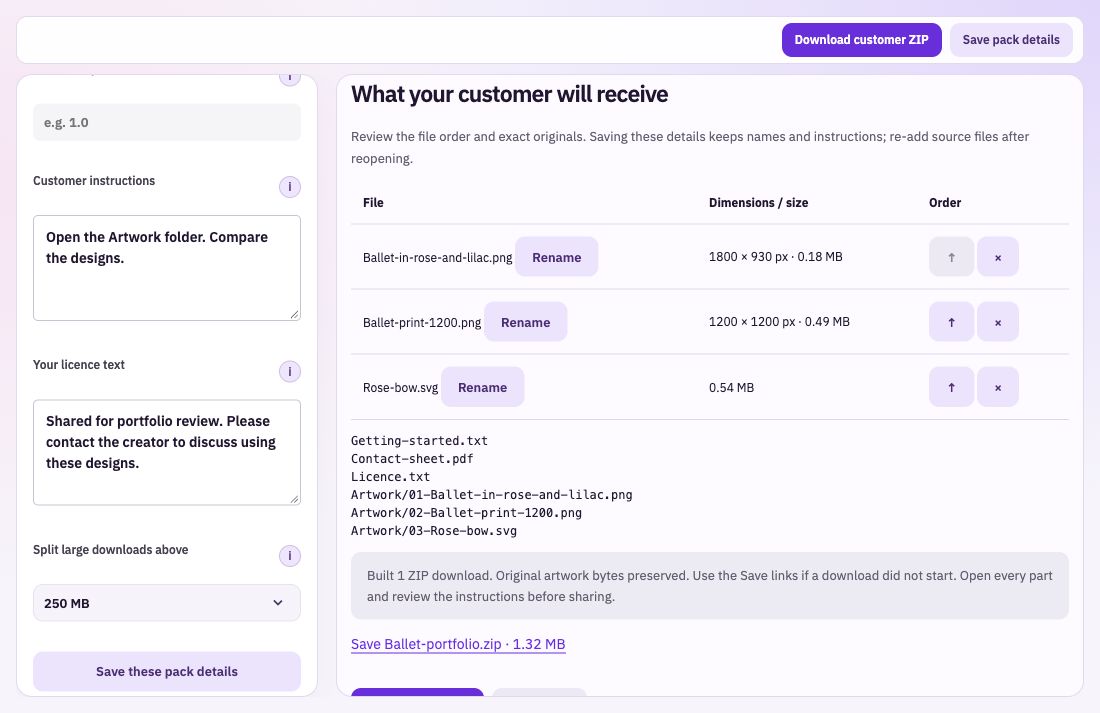
Add artwork and supporting documents without converting their contents. Rename files for clarity and put them in a useful order before building the download.
Add instructions that tell the buyer how to open and use these files. Include your own approved licence wording alongside a getting-started text file and a PDF contact sheet.
Choose the size threshold for grouping larger downloads. The builder creates separate ZIP parts when needed, with save links and the resulting size shown for each one.
Add the final artwork, instructions and any supporting documents. Remove drafts and name the files in a way the customer will recognise.
Enter a clear product name, useful customer instructions and your approved licence. Review the file list and choose a suitable part-size threshold.
Check every part, the contents sheet and the instructions. Make sure the included files open correctly and match what your product description promises.
Explain the actual file types, how to begin and anything the buyer needs to know about these designs. Check the final download sizes against your chosen sales platform. Keep the product originals separately so you can rebuild an updated version when needed.
Bring: Your finished files and instructions.
Download: ZIP downloads with contents information.
Add the finished files. Name the pack and add customer instructions. Download the finished files and check the contents.