Find the individual drawings
Import a sheet on a transparent background and find the separate illustrations. Review the detected boxes before deciding which pieces belong together.

A sheet of artwork. Individual files you can use.
Separate a transparent illustration sheet into its own PNG files. Review the detected pieces or draw the selections yourself, then download them together with a consistent empty border.
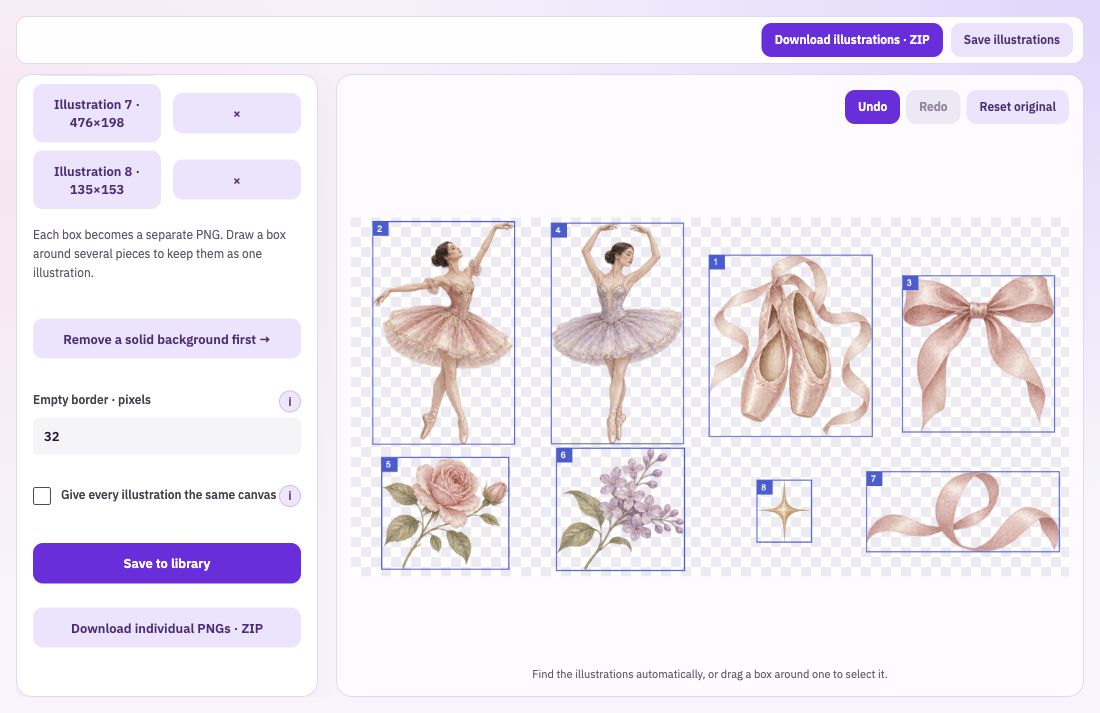
Import a sheet on a transparent background and find the separate illustrations. Review the detected boxes before deciding which pieces belong together.
Draw a selection around the complete motif when small stars, leaves or other marks belong with the main drawing. Each accepted box becomes one output image.
Add an empty border around the cut illustrations, or give every piece the same canvas size. Consistent spacing makes a set easier to browse and use.
Use an artwork sheet whose background is transparent. If it has a solid background, remove that in Background Remover first.
Find the illustrations, inspect the boxes and add manual selections where needed. Leave enough room around fine lines and disconnected details.
Choose border and canvas settings, then save each PNG separately or choose an optional ZIP. Open the individual files to check their edges and make sure nothing belongs to the wrong illustration.
Automatic detection follows the visible connected pieces. A character, flower or decorative motif may contain several disconnected parts. Treat the detected boxes as selections to review, and draw a complete box when those parts should stay together.
Bring: A sheet of illustrations with a transparent background.
Download: Separate PNG files, with an optional ZIP.
Import the transparent sheet. Review the detected boxes or draw selections. Download the individual PNGs together.